- • Quickstart
- • Documentation
- • Next Steps
- › AI Coding
- • Spring Boot
- • Spring Data
- • Spring Security
- • Frontend
- • Code Generation
Last updated: 2026-09-18
Using Claude Code for developing a Spring Boot app
Coding agents can help us extend Spring Boot applications quickly and with high-quality results. In this article, we explore what this looks like in practice with Claude Code.
For this, we build EscapeTime, an escape room booking application with a Spring Boot backend and an Angular frontend. Starting with rooms, game masters and bookings, we then add a rule to prevent double bookings and show a helpful validation message in the form.
Preparing Claude Code
In the Claude desktop app, we switch to the Code tab and open an empty folder named escape-room in a local session. Claude will work with our source code in this folder.
We also connect the Bootify MCP. This lets us specify the stack and data model in the chat and inspect the resulting project in Bootify. For EscapeTime, we choose Java with Lombok, PostgreSQL and Angular.
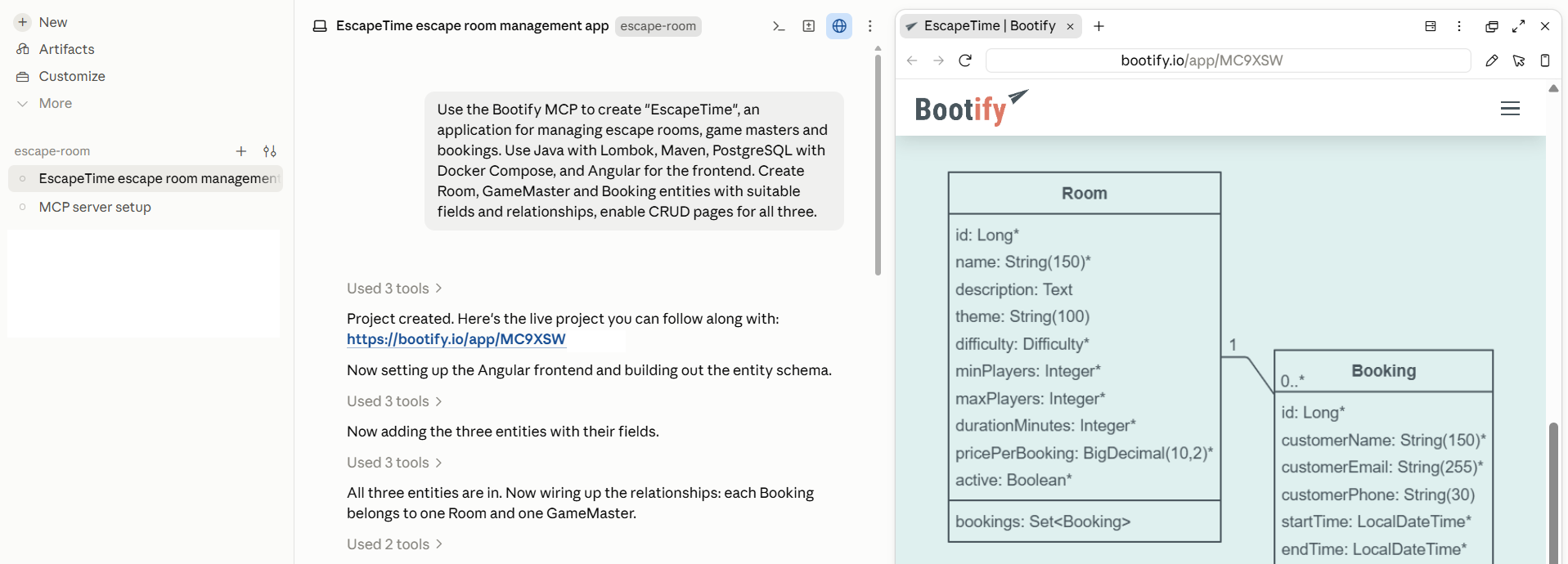
Claude creating EscapeTime with the Bootify MCP
Claude creates the project through the MCP and it can be opened in the browser. The proposed model is a good starting point, but our escape room has a more specific schedule: only morning, afternoon and evening sessions are available. A booking therefore needs a date and one of these three slots. We also notice that the room should have a price per player, so we request both changes together.
With these adjustments in place, we can export EscapeTime and check the generated project locally:
Bootify includes an AGENTS.md file with project-specific instructions for coding agents. Since Claude Code 2.1.277, Claude reads this file directly when no CLAUDE.md is present.
Claude runs the build successfully. We now have the database schema and Angular CRUD pages for all three entities. At this point, we should already add our code to a git repository - otherwise we cannot see a diff of the exact changes in Claude Code. The next task concerns what happens when two bookings compete for the same slot.
Preventing duplicate bookings
Suppose a group has already booked a room for Saturday afternoon. A second group must not be able to reserve that room for the same session. We ask Claude to enforce this rule:
Claude takes some time to examine the existing code before extending the project's validation approach. In the diff, we can review how it already checks for conflicting bookings.
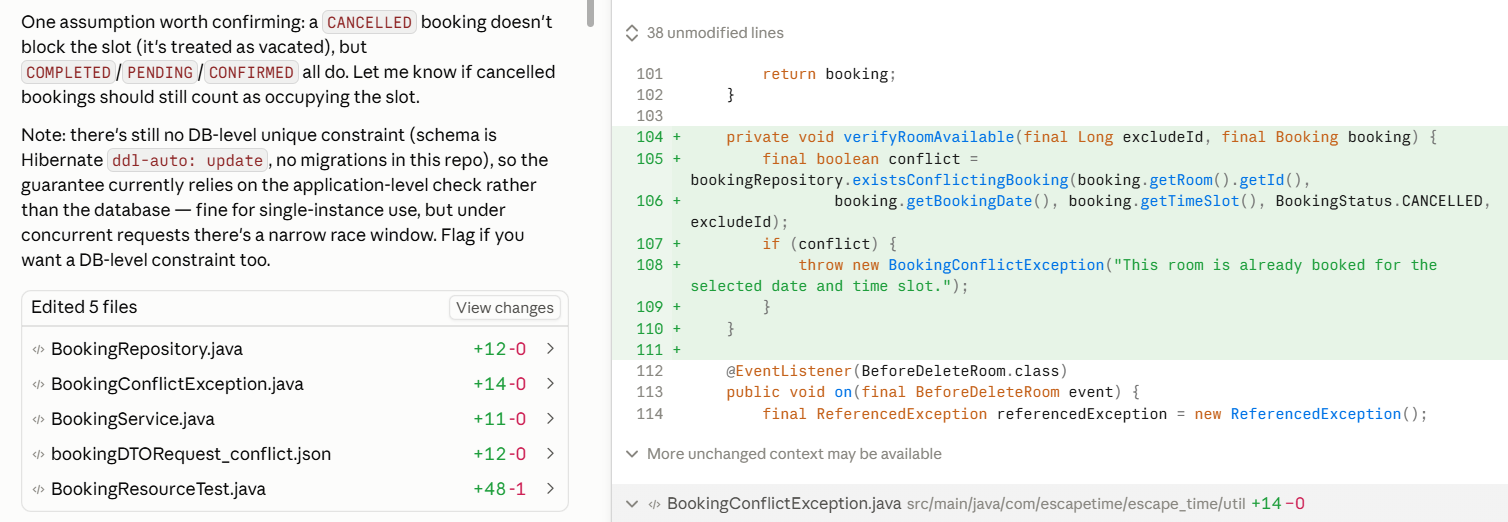
Reviewing Claude's backend changes to prevent duplicate room bookings
Showing the error in Angular
The backend now rejects conflicting inputs, but the Angular form does not yet handle this validation error. The user would reach a general error page without a useful explanation of what to change. Our first prompt covered the business rule; we follow up with the behavior we expect in the form.
After starting the application, we try to book the same room twice for the same date and time slot. This time, the form shows the validation message directly at the time slot field, so the user can choose another slot without losing the context of the booking.
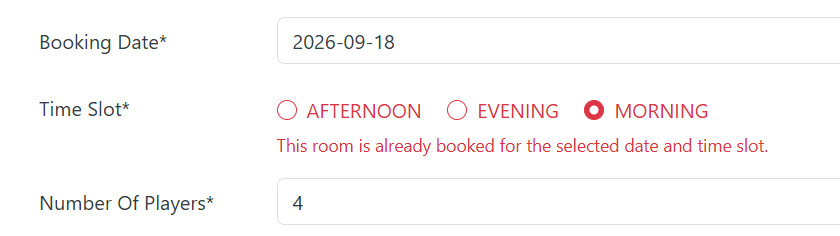
Inline validation message explaining the issue
This is also a useful point to check the related cases: another room should still be available in the same slot, and editing a booking without changing its schedule should not cause a conflict with itself. Asking Claude to add and run tests for these cases would be a good next step.
Conclusion
With Claude Code, we have added booking validation across the Spring Boot backend and Angular frontend. Two focused prompts were enough to implement the backend rule and its frontend integration.
Bootify supplied the foundation: a Spring Boot application with our chosen stack, data model and CRUD pages. Your preferred coding agent can build on this structure and extend the application to fit your requirements.
The MCP is available at https://bootify.io/mcp without authentication.
Registered customers may add their MCP API key as
Authorization: Bearer header.
Codex
Codex can configure an MCP directly in the chat. The new MCP is then included in
~/.codex/config.toml. You may need to restart ChatGPT.
Claude Code
Claude Code also provides a CLI that can be run manually or through the chat. The configuration is then
stored in ~/.claude.json and usually requires a restart.
See Pricing
or read quickstart